8 AI Assessment Tools for a Smarter Hiring Workflow
MockWin.ai packs 8 assessment tools into 4 categories — creation, analytics, candidate data, and outreach — for one connected hiring workflow. See how it works.
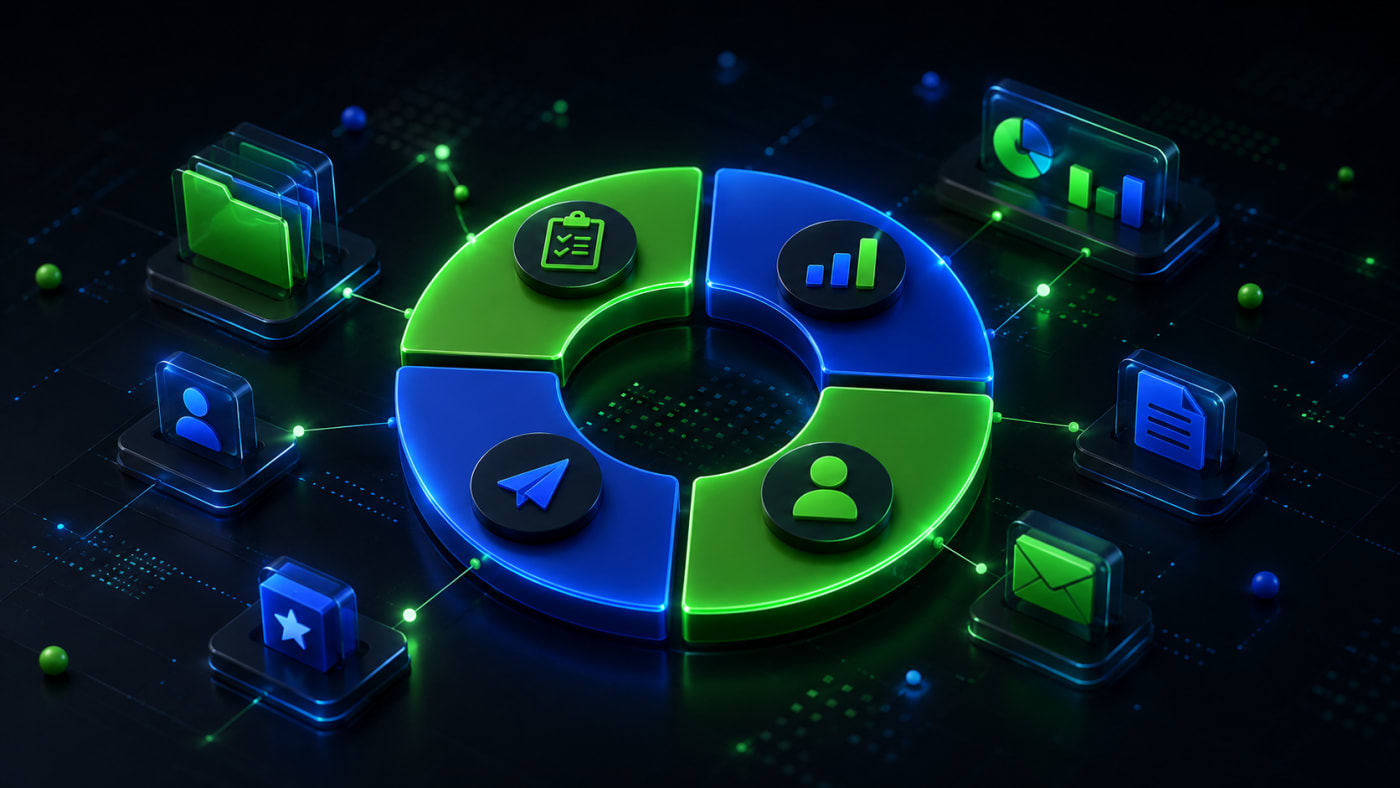
8 Tools. 4 Categories. One Complete Assessment Workflow: Inside MockWin.ai
TL;DR
Most hiring teams stitch together a separate tool for every step of assessment one app to build tests, another to see results, a spreadsheet for candidate notes, and an inbox for outreach. MockWin.ai replaces that patchwork with 8 connected tools across 4 categories Assessment Management, Assessment Analytics, Candidate Data, and Outreach so a single workflow takes you from creating an assessment to making a hiring decision without switching platforms.
On this page
- Assessment Workflows Shouldn't Be Complicated
- Why Modern Hiring Needs More Than Just an Assessment
- Meet the 8 MockWin.ai Tools
- How the 8 Tools Work Together
- Why an Integrated Assessment Toolkit Matters
- Who Can Benefit From MockWin.ai?
- The Future of AI-Powered Assessment Workflows
- Frequently Asked Questions
- Conclusion: 8 Tools, One Connected Workflow
1. Assessment Workflows Shouldn't Be Complicated
Hiring teams today juggle a small stack of tools just to run one assessment: a builder to create the test, a dashboard to check the scores, a separate system to pull up candidate history, and yet another tab open for emailing invites. Each handoff between tools is a place where context and time gets lost.
What if all of that lived in one connected ecosystem instead? That's the question MockWin.ai was built to answer. Rather than shipping one more standalone test-builder, MockWin.ai organizes 8 purpose-built tools into 4 categories that mirror how hiring actually works: build the assessment, understand the results, know the candidate, and reach out all inside a single workflow.
Key message: MockWin.ai brings assessment management, analytics, candidate information, and outreach together so hiring teams stop rebuilding the same workflow from scratch for every role.
2. Why Modern Hiring Needs More Than Just an Assessment
Creating an assessment is only the first step. A complete assessment workflow actually involves creating and managing assessments, understanding how they perform, reviewing individual candidate data, connecting that to interviews, communicating with applicants, and finally turning all of it into a decision. Most hiring tech handles one or two of these steps well and leaves the rest to spreadsheets and inboxes.
The problem with disconnected tools
Data scattered across platforms
Assessment scores live in one app, interview notes in another, and candidate history nowhere at all.
Manual reporting
Someone has to export, copy, and reformat results before anyone can actually use them.
Time-consuming candidate reviews
Piecing together a full picture of one candidate can mean opening four different tabs.
Poor visibility into performance
Without a shared overview, it's hard to tell which assessments are actually working.
Repetitive administrative work
Sending invites, chasing responses, and re-entering data eats hours every week.
Inconsistent hiring workflow
Every recruiter ends up running the process a little differently.
These aren't hypothetical pain points. Recent hiring research puts numbers behind the friction recruiters deal with every day:
Every one of those numbers is a symptom of the same root cause: tools that don't talk to each other. That's exactly the gap a connected assessment workflow like MockWin.ai's hiring operations platform is designed to close.
3. Meet the 8 MockWin.ai Tools
MockWin.ai organizes its assessment ecosystem into four categories that map directly onto the hiring journey: build it, measure it, understand the candidate behind it, and act on it.
Category 1: Assessment Management
🗂️ Tool 1 get_all_assessments
Purpose: Get a complete view of every assessment your team has created. Teams use it to quickly find an existing assessment, keep visibility across the entire assessment library, and cut down on manual searching through old files and folders.
🛠️ Tool 2 create_assessment
Purpose: Build a new assessment from scratch. This tool covers everything from setting up a workflow for a brand-new role to scaling assessment creation across multiple departments, so building a test never becomes the bottleneck. It pairs naturally with MockWin.ai's role-based interview practice and resume-based interview builder, which tailor assessment content to the specific role and candidate background.
Section takeaway: Create and manage assessments without the administrative overhead of juggling separate builders and spreadsheets.
Category 2: Assessment Analytics
Once assessments are live and candidates start completing them, the real question becomes: what does the data actually tell you?
📊 Tool 3 get_assessment_overview
High-level assessment statistics give a quick snapshot of performance useful for monitoring activity, getting a bird's-eye view of results, and quickly spotting what needs attention before it becomes a problem.
📈 Tool 4 get_assessment_statistics
This tool goes deeper, breaking performance down candidate by candidate. It supports comparing performance across applicants, identifying patterns across a role's talent pool, and making more informed, data-backed hiring decisions the same principle behind MockWin.ai's candidate evaluation software.
Section takeaway: Move from simply collecting assessment results to understanding what they actually mean for the role you're hiring for.
Category 3: Candidate Data
Assessment data becomes far more valuable once it's connected to the broader candidate journey not viewed as an isolated score.
👤 Tool 5 get_candidate_report
A complete candidate report brings all relevant assessment information into one place, supporting candidate discussions, structured reviews, and confident hiring decisions.
🎙️ Tool 6 get_candidate_interviews
This tool surfaces every interview associated with a candidate, so interview history sits right alongside assessment data instead of living in a separate system the same connective idea behind real-time AI interviews and MockWin.ai's adaptive AI interviewer.
📝 Tool 7 get_interview_summary
Interview summaries let teams understand what happened during an interview in seconds, without replaying or manually re-reading every transcript similar to how AI interview feedback condenses a session into actionable takeaways.
Section takeaway: Get a genuinely complete picture of a candidate not just an isolated assessment score.
Category 4: Outreach
📧 Tool 8 send_assessment_email
An assessment workflow isn't complete until candidates are actually invited to take part. This tool sends assessment invitations by email, kicks off the process automatically, reduces repetitive back-and-forth communication, and connects outreach directly to the rest of the assessment workflow the outreach layer behind MockWin.ai's candidate engagement tools.
Section takeaway: Turn assessment creation into candidate action with outreach that's built into the same workflow, not bolted on afterward.
4. How the 8 Tools Work Together
Presented separately, these look like eight independent features. Used together, they form one continuous workflow: Create → Invite → Assess → Analyze → Review → Decide.
Create the assessment
Build the test for the role using create_assessment.
Manage the library
Keep every assessment organized and searchable with get_all_assessments.
Invite candidates
Send invitations automatically using send_assessment_email.
Track performance
Watch activity and completion in real time with get_assessment_overview.
Analyze the results
Compare candidates in depth using get_assessment_statistics.
Review candidate reports
Pull the full candidate picture with get_candidate_report.
Access interviews
Connect assessment data to interview history via get_candidate_interviews.
Understand interviews faster
Get to the point with get_interview_summary then decide.
| Category | Tools | What it answers |
|---|---|---|
| Assessment Management | get_all_assessments, create_assessment | What have we built, and can we build more easily? |
| Assessment Analytics | get_assessment_overview, get_assessment_statistics | How is this assessment performing, and who stands out? |
| Candidate Data | get_candidate_report, get_candidate_interviews, get_interview_summary | Who is this candidate, beyond one score? |
| Outreach | send_assessment_email | Has the candidate actually been invited and engaged? |
5. Why an Integrated Assessment Toolkit Matters
The bigger value here isn't any single feature it's what happens when all eight tools sit inside one workflow instead of four separate logins.
The cost of not integrating shows up in the numbers, too industry research has found that recruiters can spend the equivalent of more than two full workdays per vacancy on manual tasks alone. A connected toolkit is what turns that time back into hiring decisions.
6. Who Can Benefit From MockWin.ai?
At scale, these same tools power more specific hiring motions too from technical hiring and high-volume mass hiring to campus hiring, RPO hiring, and fully remote interviewing. Teams that need to verify who's actually behind the screen can pair the workflow with candidate authentication and proctoring.
7. The Future of AI-Powered Assessment Workflows
Hiring is shifting along four clear lines: manual to automated, disconnected to unified, data-heavy to insight-driven, and reactive to proactive. Modern hiring isn't about collecting more candidate data it's about turning the data you already have into a decision faster.
That shift is visible across the rest of the MockWin.ai ecosystem, too from an AI interview assistant that supports live conversations, to challenge mode for skills-based evaluation, to the Chrome extension and mobile app that keep the workflow available wherever recruiters and candidates actually are.
8. Frequently Asked Questions
What makes MockWin.ai different from a typical assessment tool comparison list?
Most guides to assessment software compare a dozen separate platforms, each covering one piece of the workflow. MockWin.ai takes the opposite approach: it's one connected ecosystem of 8 tools across 4 categories, so teams don't need to stitch a builder, a dashboard, a CRM, and an email tool together themselves.
Do I need all 8 tools, or can I start with just assessment creation?
You can start with Assessment Management alone and add Analytics, Candidate Data, and Outreach as your workflow grows the categories are designed to connect, not to be mandatory from day one.
How does MockWin.ai connect assessments to interviews?
Through get_candidate_interviews and get_interview_summary, assessment scores and interview history sit alongside each other in the same candidate report instead of living in separate systems.
Is this suitable for high-volume or enterprise hiring?
Yes the same 8-tool workflow scales from a single role to enterprise use cases like mass hiring and RPO hiring, where consistency and speed matter even more.
9. Conclusion: 8 Tools, One Connected Workflow
8 tools. 4 categories. One complete assessment workflow. Assessment Management gets the test built. Assessment Analytics tells you how it performed. Candidate Data connects it to the whole applicant journey. Outreach makes sure candidates are actually in the loop.
Put together, MockWin.ai brings the essential pieces of the assessment workflow into one place, so hiring teams spend less time managing process and more time making better hiring decisions.
Ready to simplify your assessment workflow?
Explore MockWin.ai and see how 8 connected tools can replace your current assessment stack.