Automated Mass Hiring: Screen Thousands of Candidates in 24 Hours
Eliminate screening bottlenecks. Deploy always-on AI interviewers to screen support, sales, and operations roles at scale with zero scheduling conflicts. Reduce time-to-hire by 80% while ensuring every applicant gets a fair shot.

Automated AI Video Screening
Replace manual phone screens with an autonomous Assessment Funnel. The system operates 24/7, allowing thousands of candidates to interview on-demand via a mobile-friendly interface. By automating the initial touchpoint, you capture top talent immediately upon application, preventing drop-off in high-velocity hiring pipelines.

Bulk Candidate Invites
Scale your outreach instantly. Use the Direct Invitation System to upload CSV files containing thousands of candidate emails. The system generates unique, tokenized links for each applicant and dispatches them via SMTP, appearing to come directly from your corporate domain (e.g., hiring@company.com) to ensure high trust and open rates.

Standardized Interview Structure
Remove human bias from volume hiring. Configure a locked "Friendly HR" Persona (Layer 1 Depth) to ask every candidate the exact same set of core competency questions. This ensures fair, metric-based comparisons across diverse applicant pools, focusing purely on communication skills and content relevance rather than interviewer fatigue.

Smart Clips Review
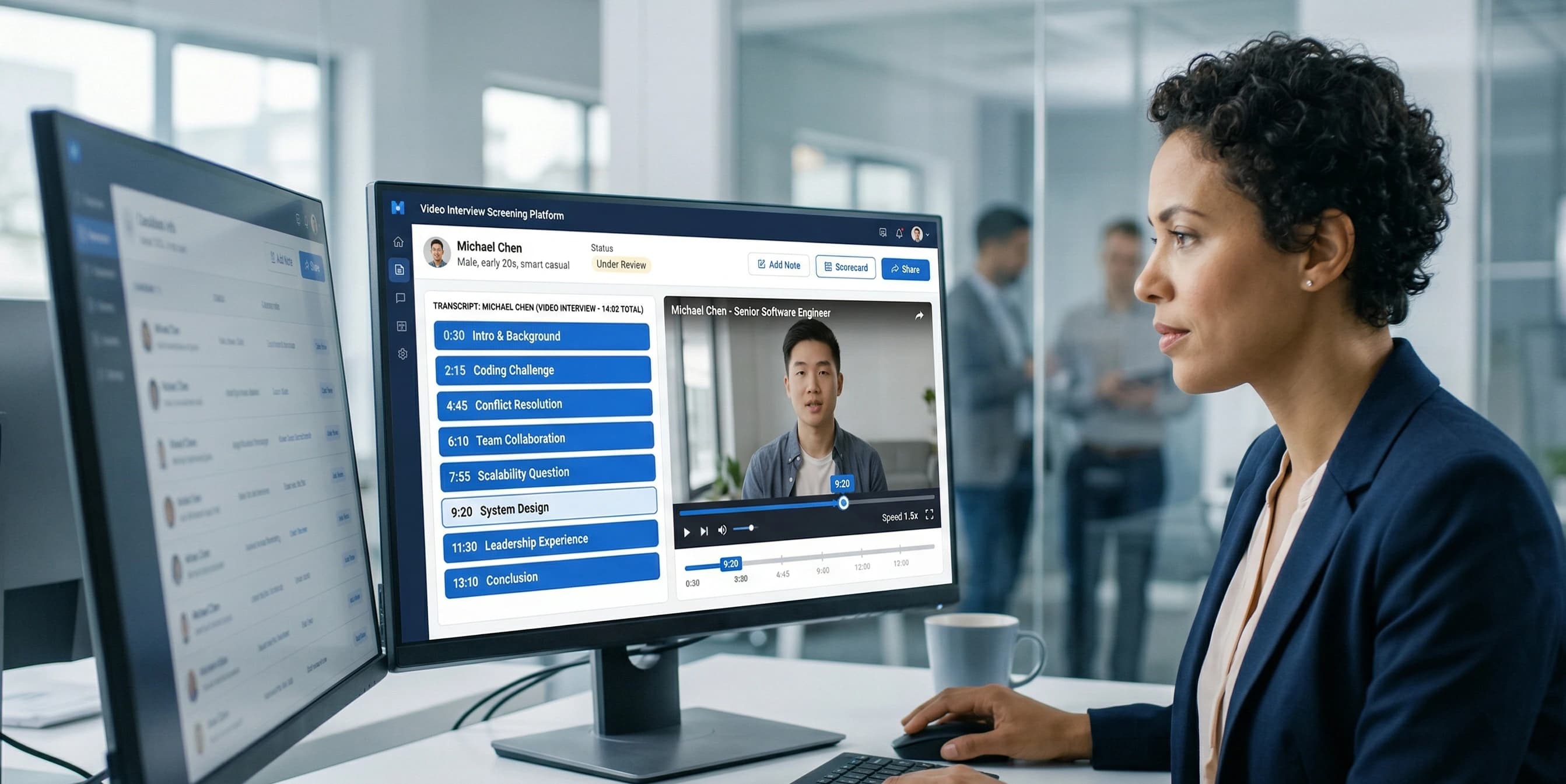
Stop watching 45-minute videos. Smart Clips technology automatically timestamps high-signal moments in the transcript (e.g., "Watch Conflict Resolution Answer"). Recruiters can click these timestamps to jump directly to pivotal responses, allowing them to validate soft skills and culture fit in seconds per candidate.
Automated Fraud Detection
Secure your funnel against bots and "ghost" applicants. The system uses Identity Verification to capture a reference photo at the start and compares it against random video frames throughout the session. Combined with Focus Tracking, this automatically generates Red Flag Alerts (e.g., "Face Mismatch," "Tab Switched 5x") on the dashboard, letting you filter out dishonest applicants instantly.

Frequently Asked
Questions
Everything you need to know about MockWin for Enterprise
Scale Your Hiring, Not Your Headcount
Join high-growth teams using Mockwin to screen 10x more candidates with your existing recruiting team.